Designing a Love Monster Cookie Cutter with Canva for 3D Printing at Home
Seasonal cookie trends are the perfect excuse to have a little fun with custom shapes, especially when you can design and print them at home. I’ve seen so many cute Love Monster cookies over the years, I wanted to make my own spin on it.
This design is playful, flexible, and easy to decorate, which makes it perfect not just for Valentine’s Day, but also for teacher appreciation, back-to-school cookies, and even Mother’s Day with the right tag. Best of all, the process doesn’t require advanced design skills or complicated prep work.
Here’s exactly how I made it. Follow along on YouTube.
Step 1: Finding a Monster in Canva
I started in Canva by searching Elements for a monster image that I could personalize for Valentine’s Day. My favorite monster happened to be a Canva Pro element, but don’t worry, the same process works just as well with free elements, and I also tested a second version using only free graphics.
Once I chose my monster, I looked at what needed to change to make it Valentine’s-ready. The horns were the obvious starting point.
Step 2: Modifying the Monster Using Canva’s Free Eraser Tool
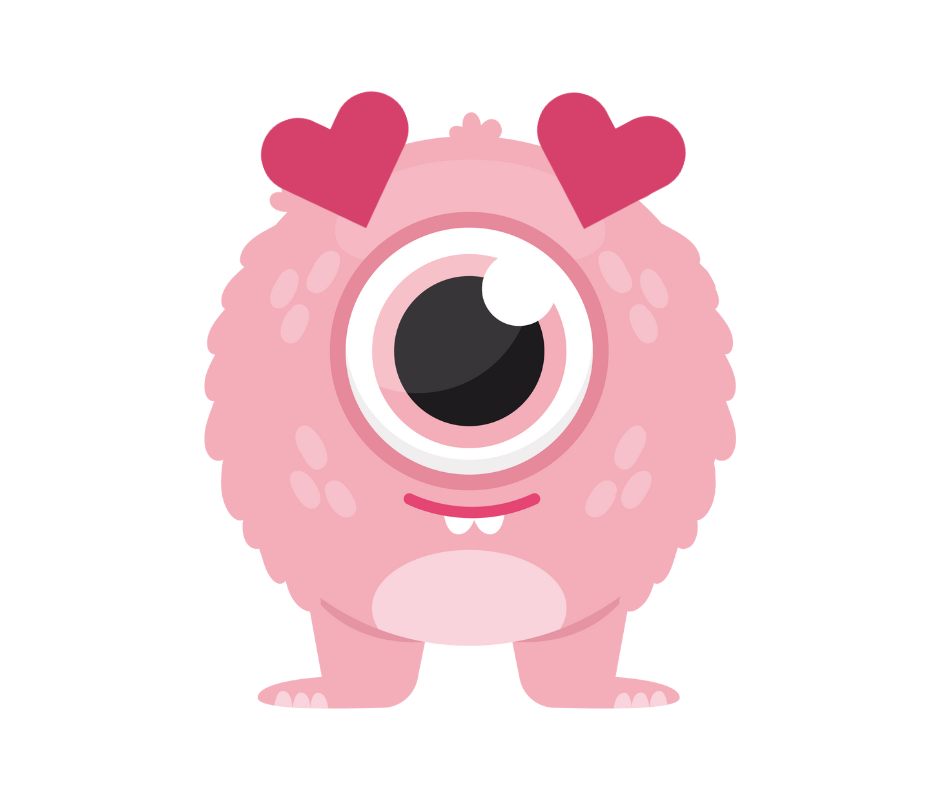
Using Canva’s free eraser tool, I shaved down the monster’s horns. I didn’t remove them completely but I left enough behind to help with placement and alignment for what I wanted to add next.
Why? Because if the horns stuck out too far, they would force me to replace them with a bigger shape that might be disproportionate. I wanted flexibility in sizing without being locked into a specific shape.
Once the horns were trimmed, I added a heart graphic (also from Canva Elements), adjusted the size and orientation, and worked on placement until it felt balanced. When I was happy with the first heart, I duplicated it and moved it to the other side of the monster’s face to create matching heart “horns.”
With the design complete, I downloaded the image and moved on to Cookie Design Lab.
Step 3: Turning the Image into a Cookie Cutter STL
After uploading the monster into Cookie Design Lab, there was very little editing required. I simply:
-
Increased the number of points to smooth the cutter edges,
-
Checked for any tight spots that might make decorating difficult, and
-
Confirmed the outline worked well as a cookie cutter.
Because the Canva design was clean, Cookie Design Lab handled the conversion beautifully without the need for tracing or pre-filling the image.
Step 4: Final Sizing and Cutter Details
Next, I focused on sizing. I switched to measuring by height, using the longest edge as my guide, and settled on a cutter that was approximately 3 x 3.5 inches.
Before exporting, I:
-
Added a rounded handle,
-
Added the cutter name, then resized it using the slider bar because it was larger than I wanted, and
-
Double-checked proportions and blade depth.
Once everything looked right, I saved the design to my library, downloaded the STL file, and it was ready to print.
Decorating and Use Ideas for the Love Monster Cutter
This Love Monster design is especially versatile:
-
It works beautifully with an edible ink printer like Eddie and Icing Images Big Blue or Little Blue, and
-
It’s also very hand-pipe friendly, with plenty of space for outlining and flooding.
And while it’s adorable for Valentine’s Day, I’ll definitely be reusing it throughout the year. My initial ideas include:
-
Teacher Appreciation Week with a tag like “Thank you for teaching my little monster,”
-
Back-to-School cookies paired with “Good luck with my kid,” and
-
Mother’s Day (still brainstorming, maybe “Thanks for loving your little monster”?).
This is exactly the kind of cutter that earns its place in a reusable STL library. Be sure to download this STL and the matching image for free!
Making custom cutters doesn’t have to be hard or take hours! Cookie Design Lab was made with the cookier in mind, so it only requires the techy behind it to be an engineer, not you! Check out our other posts and videos to see how easy it is. No other program lets you just drop an image in like CDL does. And with advanced features like cutter editing, background removal, and a library, you’ll not only love the results but wonder why you didn’t sign up sooner! Want to try CDL for free? Shoot us an email at [email protected] and we’ll send you a code for one free week!